
Can Microsoft Teams Replace Your Intranet? A Teams vs Intranet Comparison


Microsoft Teams is a powerful hub for communication and collaboration—but can Teams replace your intranet? As more organizations standardize on Microsoft 365, this question comes up frequently when planning an enterprise intranet. In this Microsoft Teams intranet comparison, we explore whether Teams can meet enterprise intranet requirements, where it falls short, and why most organizations ultimately combine Teams with a dedicated intranet platform rather than relying on Teams alone.

In this article, we break down the pros and cons of using Microsoft Teams as an intranet, compare Teams vs intranet platforms across key enterprise capabilities, and explain why integration—rather than replacement—is the smartest strategy for large and complex organizations. You’ll also see how extending Microsoft Teams with a full-featured intranet platform like Omnia creates a more scalable, governed, and employee-centric digital workplace.
→ Learn more about how Microsoft 365 apps meets your intranet expecations, download our free guide: Microsoft 365 Intranet Comparison: Evaluating SharePoint and Viva Connections »
Microsoft Teams: Powerful But Not a Full Intranet
Microsoft Teams is far more than a meetings tool. It’s a central collaboration platform supporting chat, calls, file sharing, and teamwork across Microsoft and third-party apps. Through Viva Connections, Teams can also surface intranet content inside the daily flow of work.
However, this has led to a common misconception: can Teams replace the corporate intranet? In an enterprise context, the answer is usually no. While Teams excels at collaboration, it was not designed to meet core intranet requirements such as structured communication, content governance, lifecycle management, and enterprise-wide findability.
A proper Teams vs intranet comparison quickly reveals that these platforms serve different—yet complementary—purposes. Let’s look at where Teams falls short as a standalone intranet.
Flat Structure Makes Navigation Difficult
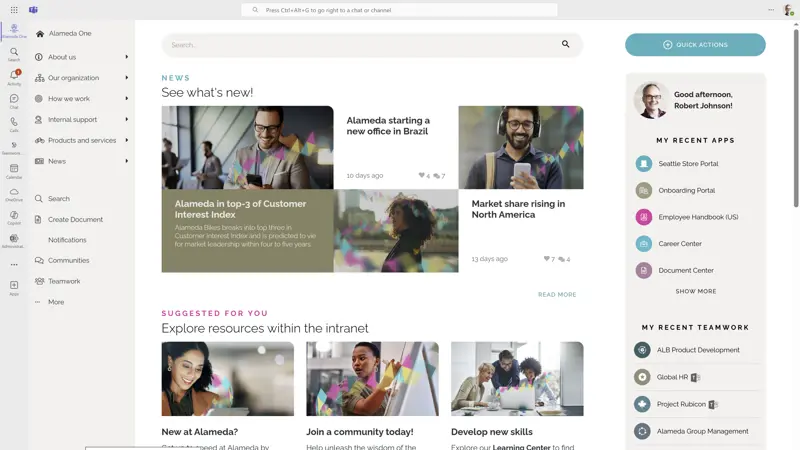
In any Microsoft Teams vs intranet comparison, navigation is one of the clearest differences. Features like mega menus, dropdown navigation, and targeted start pages help users quickly find policies, tools, and updates.
Teams, on the other hand, has a flat structure built around people and chat—not structured information. Navigation is linear, search is unranked, and official resources are scattered.
Even with SharePoint or Viva pages pinned in Teams, the experience lacks the consistency and clarity of a modern intranet.
You can dig deeper into intranet design strategies in this blog post: Intranet Design Strategies for Enhancing the Employee Experience.
Teams Is Not an Intranet CMS
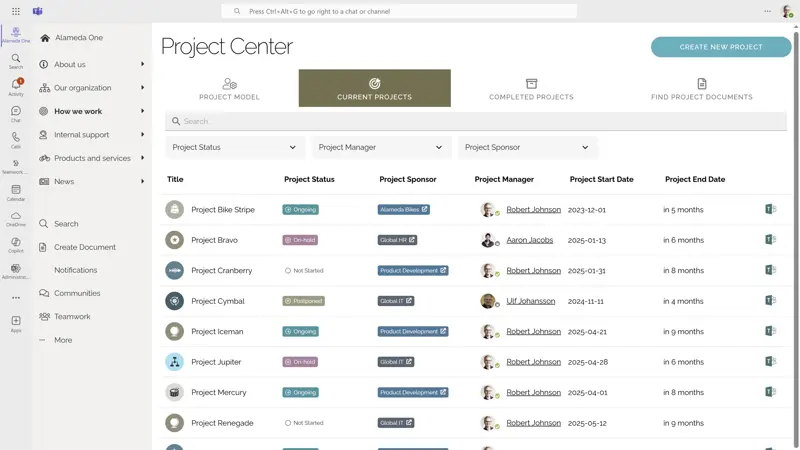
Another critical difference in a Teams vs intranet evaluation is communication and content management. Bottom line here is that scalable internal communication requires more than a chat platform—it demands a robust content management system (CMS).
Teams lacks essential CMS features like version control, publishing workflows, governance policies, and ownership tracking. Even when combined with Viva Connections or SharePoint pages, the content management capabilities fall short of enterprise expectations.
Platforms like Omnia are built specifically to support structured, secure, multi-author publishing across the organization.
Limited Branding and Identity
A third Teams vs intranet comparison is regarding user experience. A well-designed intranet should reinforce your brand and culture. But Microsoft Teams offers minimal customization—fixed layout, restricted colors, and limited identity expression.
While Viva Connections adds a dashboard with basic branding, it still operates within rigid design constraints. In contrast, Omnia allows full branding, custom layouts, and personalized interfaces—so your intranet looks and feels like your organization.
See examples of branded intranet pages in this blog post.
Poor Reach for Company-Wide Communication
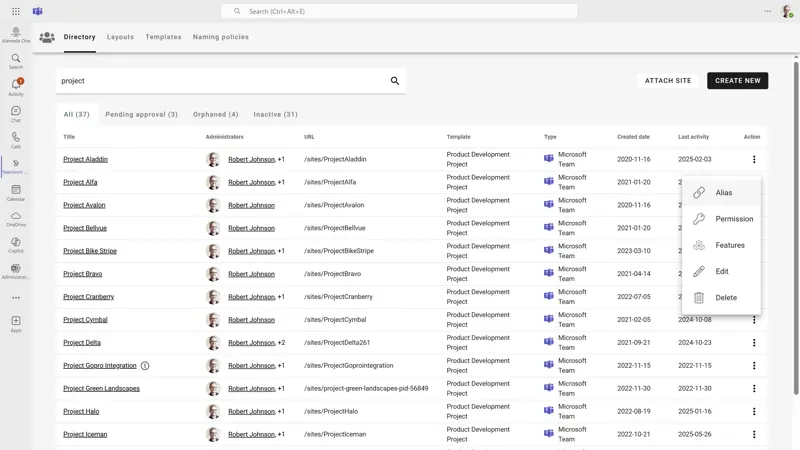
One of the most important findings in any Microsoft Teams intranet comparison is that Teams is not designed for enterprise-wide communication.
Intranets serve as the primary channel for company-wide updates, policies, and announcements. These communications must be targeted, visible, and trackable.
Microsoft Teams—and even Viva Connections—lack core capabilities like start pages, content targeting, read receipts, and audience targeting. Without these, it’s hard to ensure messages reach the right people at the right time. So, this Teams vs intranet comparison suggests that Teams cannot replace your intranet.
By contrast, an enterprise intranet platform like Omnia allows organizations to deliver a fully branded, personalized intranet experience—while still surfacing that experience seamlessly inside Teams.
Learn more: For inspiration on your digital workplace, read SharePoint Intranet Examples: 16 Top Ideas to Inspire Your Next Site.
Why Integration—Not Replacement—Is the Right Strategy
Rather than asking “Can Teams replace the intranet?”, enterprise organizations should ask a better question: How should Teams and the intranet work together?
Microsoft Teams is excellent for collaboration. Your intranet is built for communication, governance, and knowledge sharing. The best digital workplaces combine both.
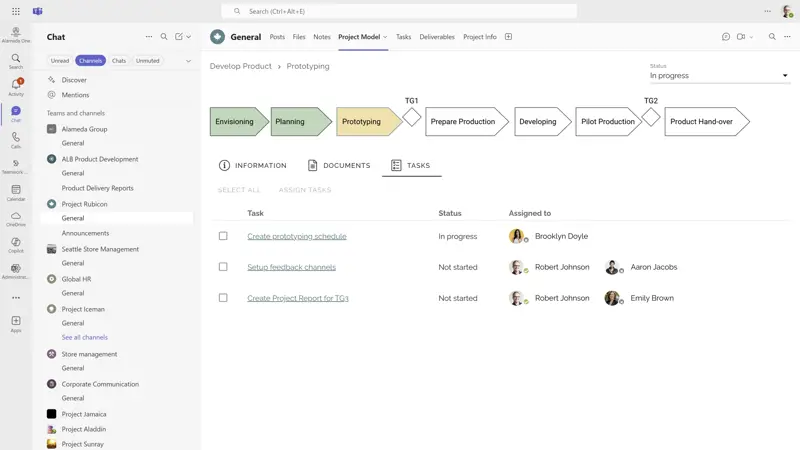
Omnia offers seamless Microsoft Teams intranet integration, enabling:
✔ Intranet apps within Teams tabs.
✔ Deep links between Teams and intranet content.
✔ Embedded tools and knowledge in daily workflows.
This integrated experience keeps employees productive—without jumping between systems.
→ See how Omnia is built for seamless integration with Microsoft 365 »
Learn More About the Microsoft 365 Intranet Landscape
Still comparing Microsoft Teams vs intranet platforms? Download our free guide: Comparing Your Intranet Requirements with Microsoft 365, SharePoint, and Viva. This guide will help you evaluate what Microsoft 365 can do—and where a dedicated intranet like Omnia adds critical value.
Want to see more? Welcome to request a personalized demo to explore how Omnia meets your unique needs - and how integration with Microsoft 365 can be set up.