
SharePoint Intranet Examples: 16 Top Ideas to Inspire Your Next Site

Looking to build a more effective SharePoint intranet? This article shares 16 of the best SharePoint intranet examples, showcasing real-world solutions across communication, user experience, employee experience, and governance. Whether you’re building a new solution or improving an existing one, these SharePoint intranet site examples offer practical insights and inspiration to help you deliver a modern intranet that supports your business.

In this article, we explore 16 real-world SharePoint intranet examples across communication, UX, employee experience, and platform governance. These are some of the most inspiring SharePoint intranet examples we’ve seen in action—highlighting proven ideas and best practices you can apply when designing or optimizing your own SharePoint-based intranet.
✔ Learn more about how to design your next SharePoint intranet and see 20+ desktop and mobile intranet examples, download the guide: 15 Intranet Best Practices.?
✔ Explore proven SharePoint intranet ideas in?Intranet Examples: Top 10 Features That Make Good Intranets Great.
SharePoint Intranet Examples: How Top Organizations Optimize Their Solutions
Modern SharePoint intranets are no longer just news pages, communication hubs, or document libraries. They’ve evolved into powerful digital workplaces that support communication, collaboration, productivity, and engagement. In most cases, however, building a successful SharePoint intranet means going beyond out-of-the-box functionality.
For mid-sized and large organizations, standard SharePoint capabilities often fall short. Advanced content targeting, scalable governance, mobile experiences, analytics, and branded design typically require more than what comes as standard.
That’s where Omnia adds value. Built natively on Microsoft 365 and SharePoint, Omnia helps organizations create modern SharePoint intranets that are flexible, scalable, and enterprise-ready—supporting every employee, from headquarters to the frontline.
To build the best SharePoint intranet for your organization, start by aligning business goals with user needs—and choose a platform that can support both. SharePoint is often a strong foundation, but when combined with Omnia, it enables enterprise-grade requirements and helps maximize your Microsoft 365 investment.
✔ Learn how SharePoint meets your needs: Download the guide:?Comparing Your Intranet Requirements with Microsoft 365, SharePoint, and Viva Connections.
✔ Get practical tips on intranet design and implementation in our popular webinar: How to Implement a Successful Intranet in Microsoft 365.
Now, let's dive into the examples.
SharePoint Intranet Examples: Communication and Content Management
Effective internal communication starts with the right tools and platform. These SharePoint intranet examples show how combining SharePoint with Omnia improves publishing, targeting, and content engagement across the organization.
Centralized News Management Hub
Deliver internal news more effectively with a centralized editorial hub that supports planning, scheduling, targeting, and AI-assisted content creation. Communication teams manage campaigns from one place while ensuring consistency and control. With audience targeting and device optimization built in, updates reach employees across SharePoint, mobile, Teams, and digital signage—creating a smarter, more coordinated news flow.
Targeted Content Based on User Profiles
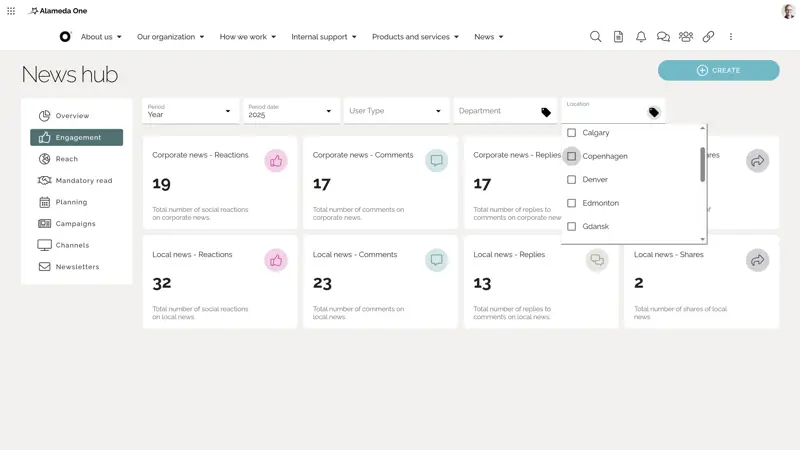
Improve relevance by targeting content based on profile attributes such as role, department, or location—not just static Entra ID groups. Personalized SharePoint intranet examples reduce noise, increase readership, and boost engagement. Editors stay in control with intuitive targeting rules that scale across the solution.
A common SharePoint intranet example is targeted news, as in the screenshot below.
Controlled Document Management for Improved Compliance
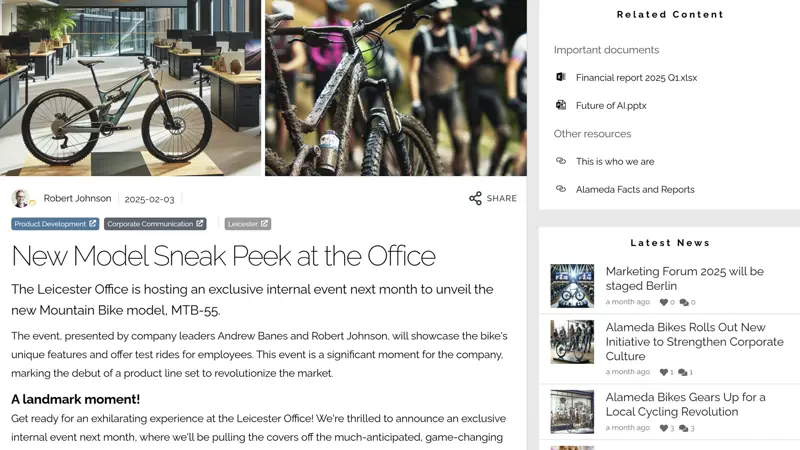
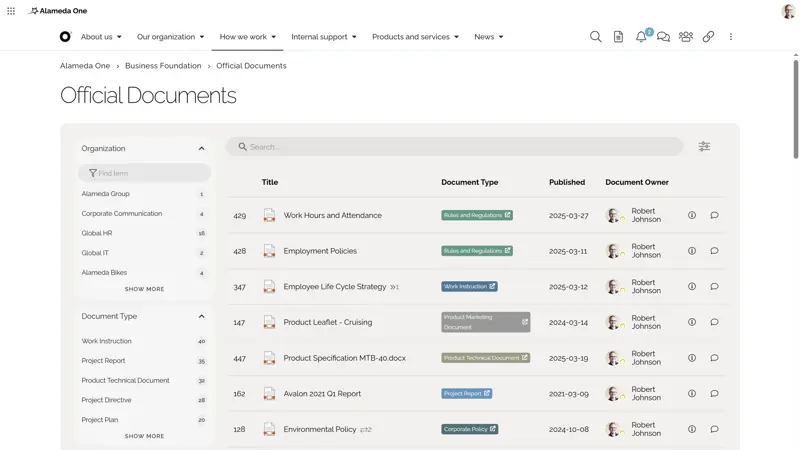
Organize and manage critical documents such as policies, guidelines, and procedures using structured metadata, version control, and approval workflows. Surfaced through pages, search, and contextual links, documents are always up to date and easy to find. Business-critical information stays compliant and consistent, even across complex organizational structures.
With lifecycle management and user access tracking built in, this SharePoint intranet solution supports content quality, compliance, and a better user experience for employees accessing essential information.
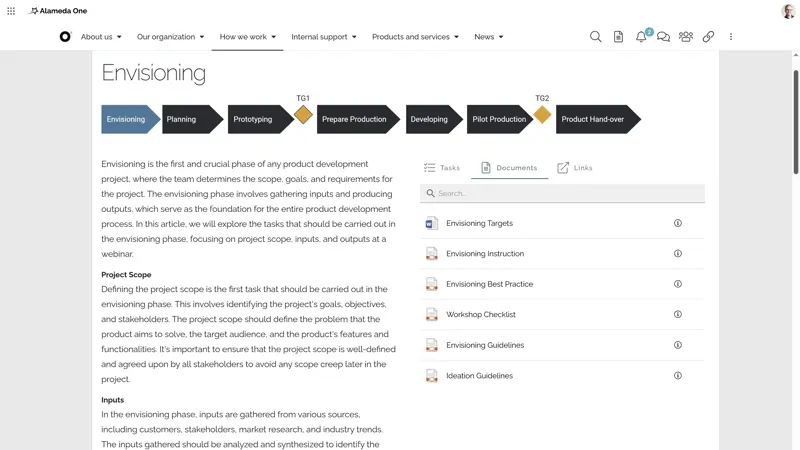
Process Publishing with Collaboration Templates
Support operational excellence by publishing structured processes in a user-friendly, visual format. Connect process steps with related tasks, documents, tools, and training materials. Integrate Teams templates to create pre-defined collaborative workspaces aligned with your official models.
This makes it easier for employees to understand and follow key processes—whether they’re onboarding, managing projects, or working across departments. Combined with Omnia's publishing tools, your SharePoint intranet becomes a powerful platform for standardizing and scaling best practices.
SharePoint Intranet Examples: User Experience
A great intranet experience is one that employees return to daily—because it’s intuitive, relevant, and efficient. These SharePoint intranet site examples show how to design and deliver seamless, personalized, and cross-device experiences that make work easier and more enjoyable.
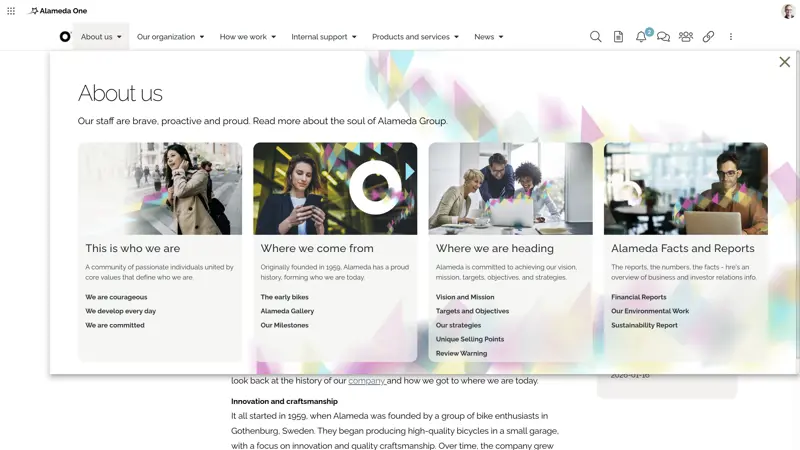
Intuitive Navigation with Mega Menus and Roles
Simplify exploration with mega menus, icons, directories, and role-based navigation that reflect your structure. Whether you centralize or delegate ownership, this scalable design improves usability and reduces time spent searching. As your SharePoint intranet grows, users can rely on familiar paths and clear hierarchies to find content, while administrators maintain control over consistency and alignment with company goals.
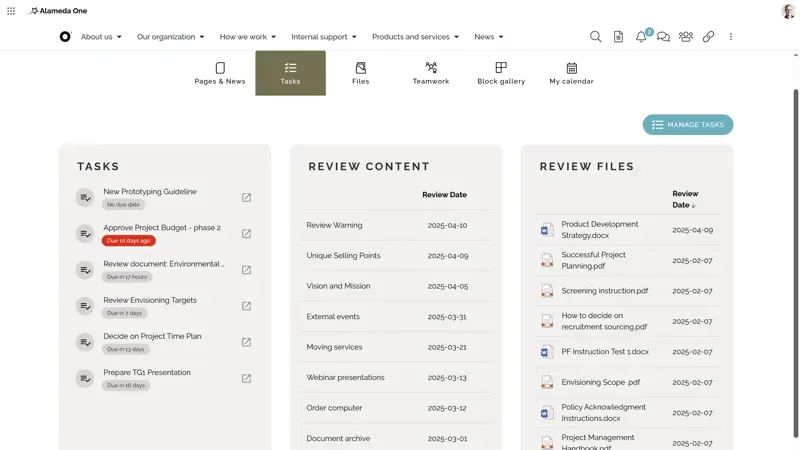
Personalized Dashboards with Smart Content
Give users a tailored digital experience with customizable dashboards, subscription options, and AI-driven content recommendations. Employees can pin quick links, follow relevant topics, and receive personalized updates based on their interests, location, or role. This targeted approach helps reduce information overload and ensures every visit to the SharePoint intranet is useful and engaging—building habits and driving intranet adoption across your workforce.
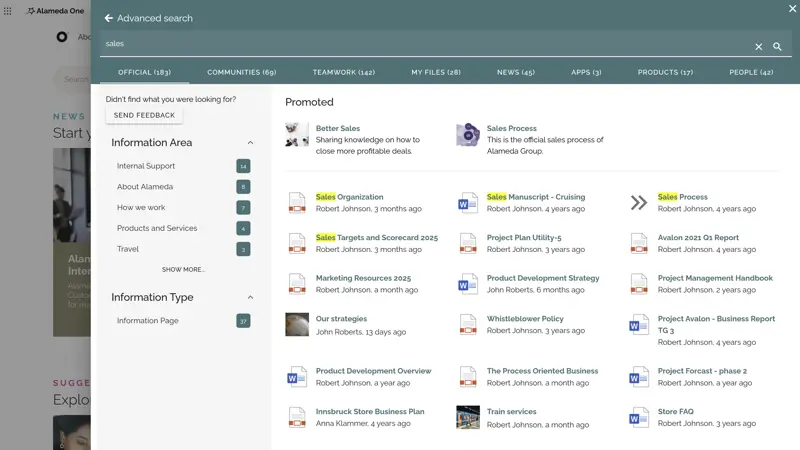
Customized and Filterable Search Experience
Help employees find what they need with a fast, intelligent search experience. Semantic search, combined with filters and metadata, ensures precise results for even the most complex queries. Tailor the experience with result categories, content previews, and refiners that reflect your business needs. Add search analytics to identify gaps, failed queries, and content opportunities—turning your search engine into a powerful productivity tool that continuously improves.
Mobile and Teams-Optimized Experiences
Make your SharePoint intranet accessible wherever employees are—on the shop floor, in transit, or working remotely. Omnia enables a seamless experience across mobile devices, Microsoft Teams, digital signage, and desktop browsers. Push notifications, mobile-ready layouts, and real-time updates ensure employees stay connected and informed—no matter the device or channel. This SharePoint intranet example ensures full inclusivity and drives engagement across frontline, hybrid, and desk-based roles.
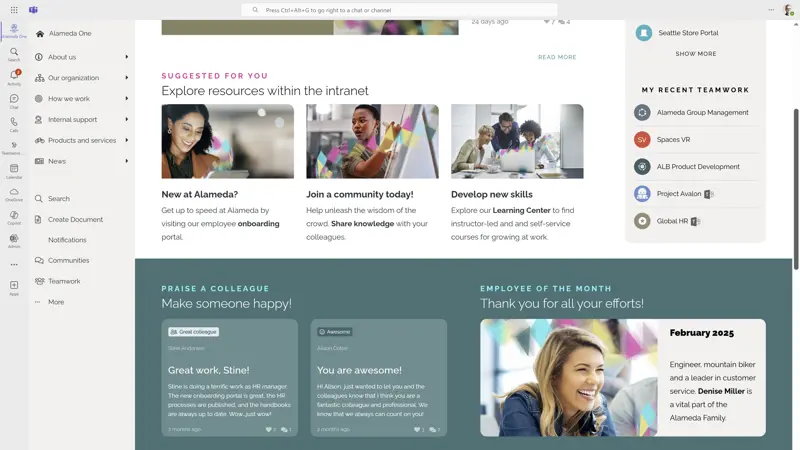
SharePoint Intranet Examples: Employee Experience
Your intranet should do more than share information—it should elevate the employee journey. These modern SharePoint intranet examples highlight how the platform can enhance onboarding, support learning, build a culture of recognition, and enable real-time feedback.
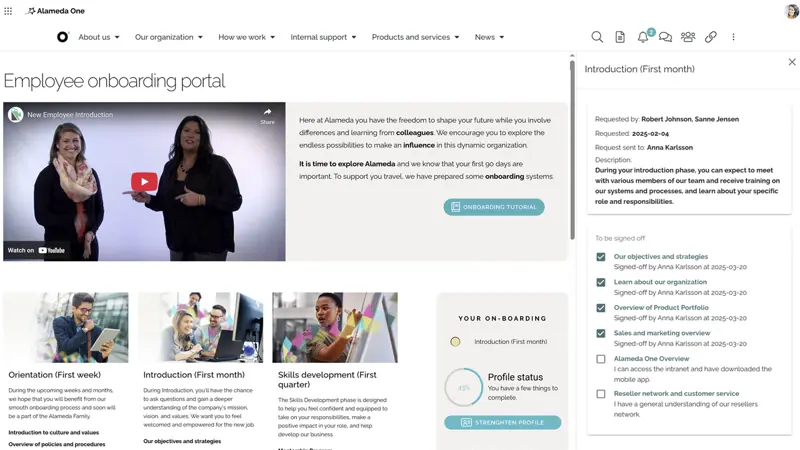
Onboarding Portals with Tasks and E-Learning
Welcome new hires with a structured portal offering tasks, checklists, policies, and training materials. Integrated with HR tools, the portal adapts based on role or region—shortening time to productivity. Visual schedules and personalized learning journeys make the process engaging and clear. This ensures a consistent onboarding experience across the company, supports culture-building, and helps new team members feel confident from day one.
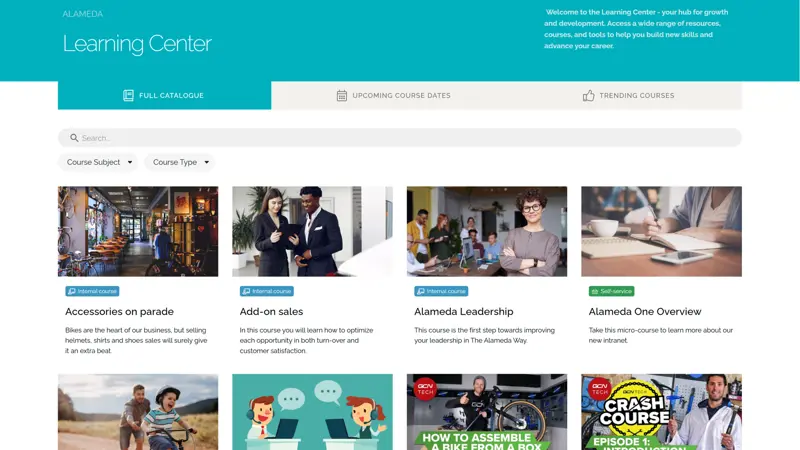
Learning Centers for Skills Development
Support employee growth with a centralized training hub for courses, microlearning, and videos. Content is searchable, categorized by topic or role, and trackable for compliance or personal development. Integrate with HR platforms to monitor progress or offer certifications. Whether employees need refresher material or career path development, your SharePoint intranet becomes the go-to destination for learning and upskilling.
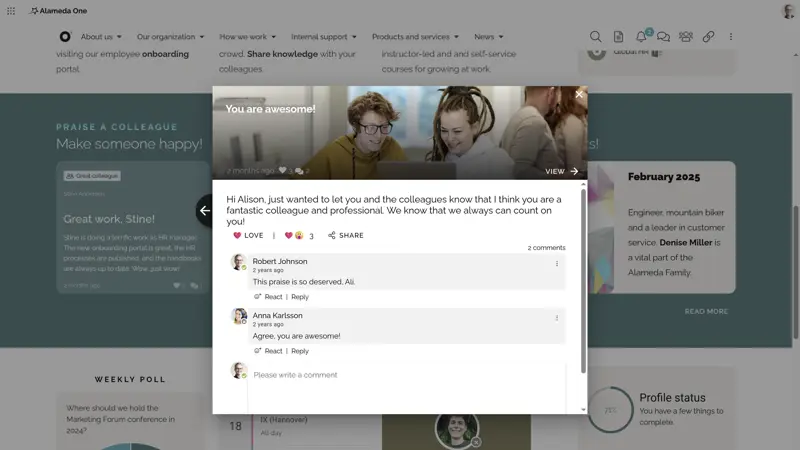
Employee Recognition and Celebrations
Create a culture of appreciation by highlighting promotions, anniversaries, and team wins. Recognition boards, peer shout-outs, and featured celebrations increase visibility across departments. Management and employees alike can participate—strengthening morale and engagement. When recognition is part of the everyday SharePoint intranet experience, it reinforces shared values, boosts motivation, and fosters stronger internal relationships and culture.
Feedback Channels with Polls and Surveys
Give employees a voice through feedback tools embedded in your SharePoint intranet. Use pulse surveys, quick polls, and comment sections to gather insights on culture, communication, or strategy. Visualize results in dashboards and use the data to shape improvements. Making feedback visible and actionable signals transparency, builds trust, and empowers leaders to make smarter, people-focused decisions.
SharePoint Intranet Examples: Solution Foundation
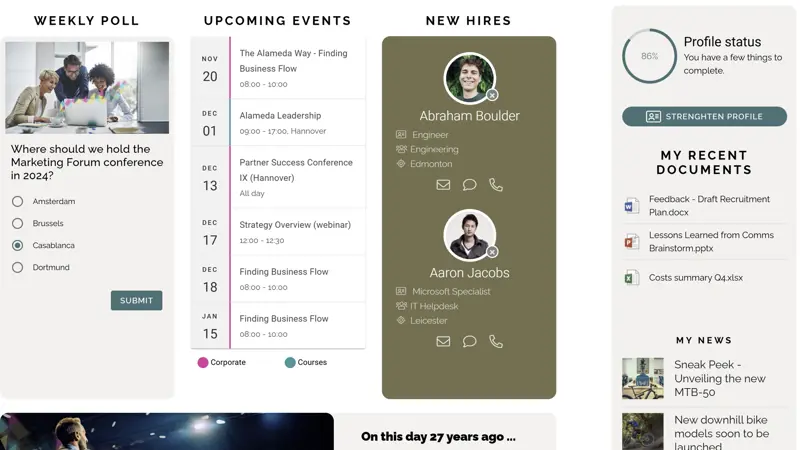
A scalable, high-performing SharePoint intranet starts with a solid foundation. These are some of the best SharePoint intranet examples showcasing how the right combination of branding, integration, governance, and analytics drives success—across every device, department, and digital channel.
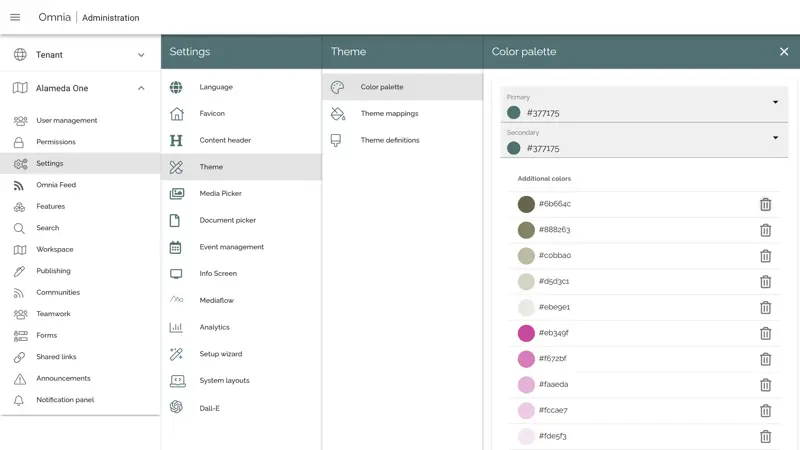
Branding the SharePoint Intranet with Consistent Templates
Deliver a consistent brand experience with advanced theming, layouts, and templates. Centrally manage design rules, typography, color schemes, and logos to ensure a unified look and feel across all departments and locations. Templates can be reused and adapted as your intranet evolves—making expansion faster, easier, and fully aligned with your company’s identity.
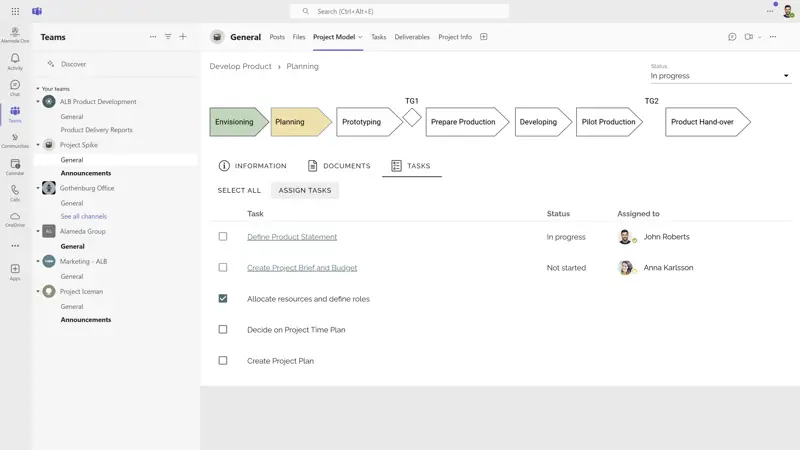
Full Integration with Microsoft 365 and Viva
Connect your intranet seamlessly with Microsoft 365 tools like Teams, Viva Connections, Outlook, Planner, Power Apps, and more. Provide unified access to files, calendars, chats, and workflows without switching tools. With single sign-on and deep integrations, your SharePoint intranet becomes the digital front door for work—enhancing efficiency, reducing friction, and empowering employees with everything in one place.
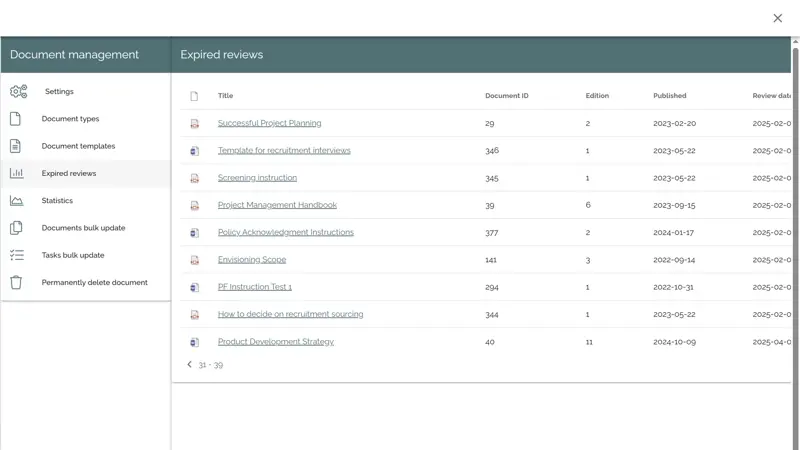
Governance and Lifecycle Management Tools
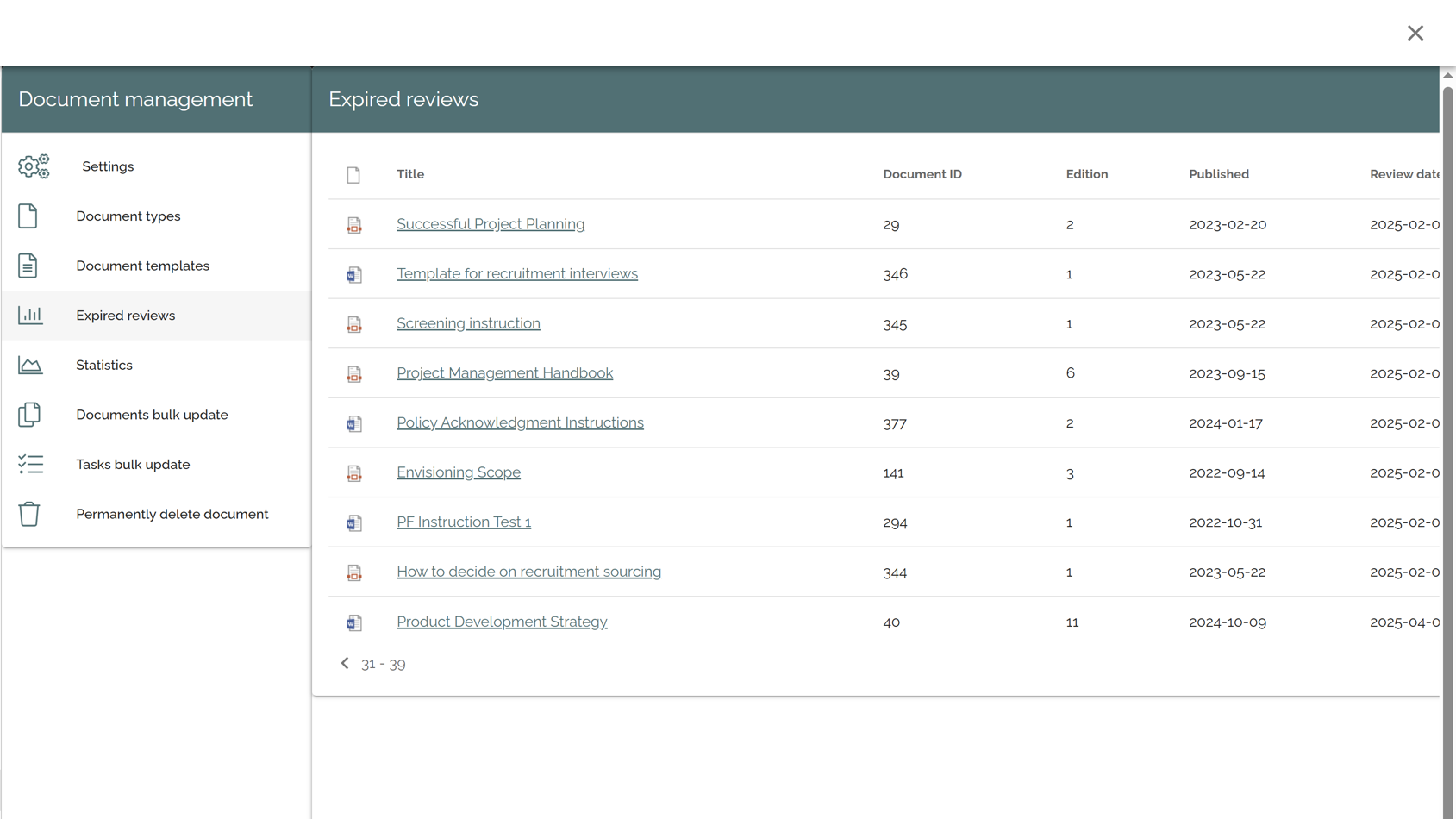
Enforce high content standards with built-in approval workflows, ownership assignments, and version control. Set review dates, automate archiving, and track read receipts. AI highlights outdated or low-value content before it becomes a risk. These tools help SharePoint intranet teams maintain accuracy, streamline compliance, and ensure the platform stays relevant and reliable over time.
Analytics Dashboards for SharePoint Intranet Improvement
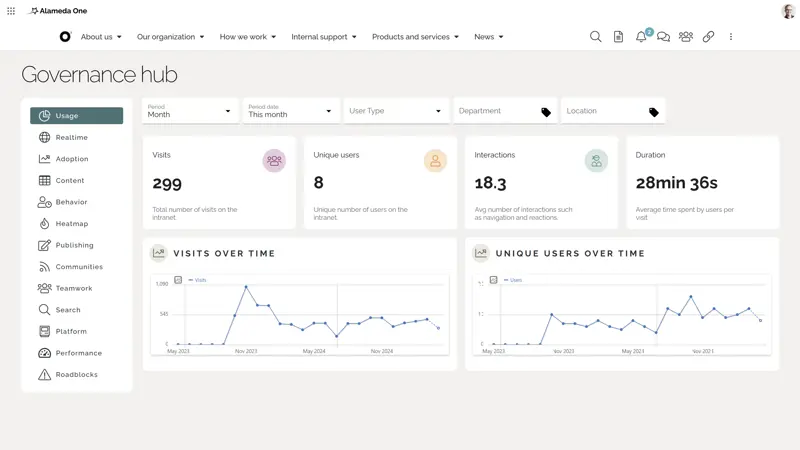
Use built-in analytics to monitor intranet adoption, engagement, search behavior, and content performance. See what works, spot gaps, and identify which teams are most active. Dashboards make data easy to understand and act on—supporting evidence-based decisions. Over time, analytics help evolve your SharePoint intranet to better match employee needs and business goals.
Conclusion: SharePoint Intranet Examples That Show the Way to Your Best Solution
The best SharePoint intranet examples don’t follow a one-size-fits-all model. Instead, they combine flexibility, personalization, and enterprise-grade functionality to meet the unique needs of each organization. With the right strategy—and the right technology partner—you can deliver a modern SharePoint intranet that informs, engages, and empowers every employee.
Omnia helps you go beyond the basics of Microsoft 365 to build a SharePoint intranet that scales with your business. Whether you're planning a new rollout or looking to optimize an existing solution, we’re here to help.
✔ Watch the demo video to get an overview of how Omnia helps deliver a modern intranet that powers communication, engagement, and productivity.
✔ Learn what makes a great homepage by checking out Intranet Homepage Examples – Must-Have Features for High Performance.
✔ Ready for the next step? Book a personalized demo to explore how Omnia can help you design a great SharePoint intranet for your organization.
Updated
June 2026